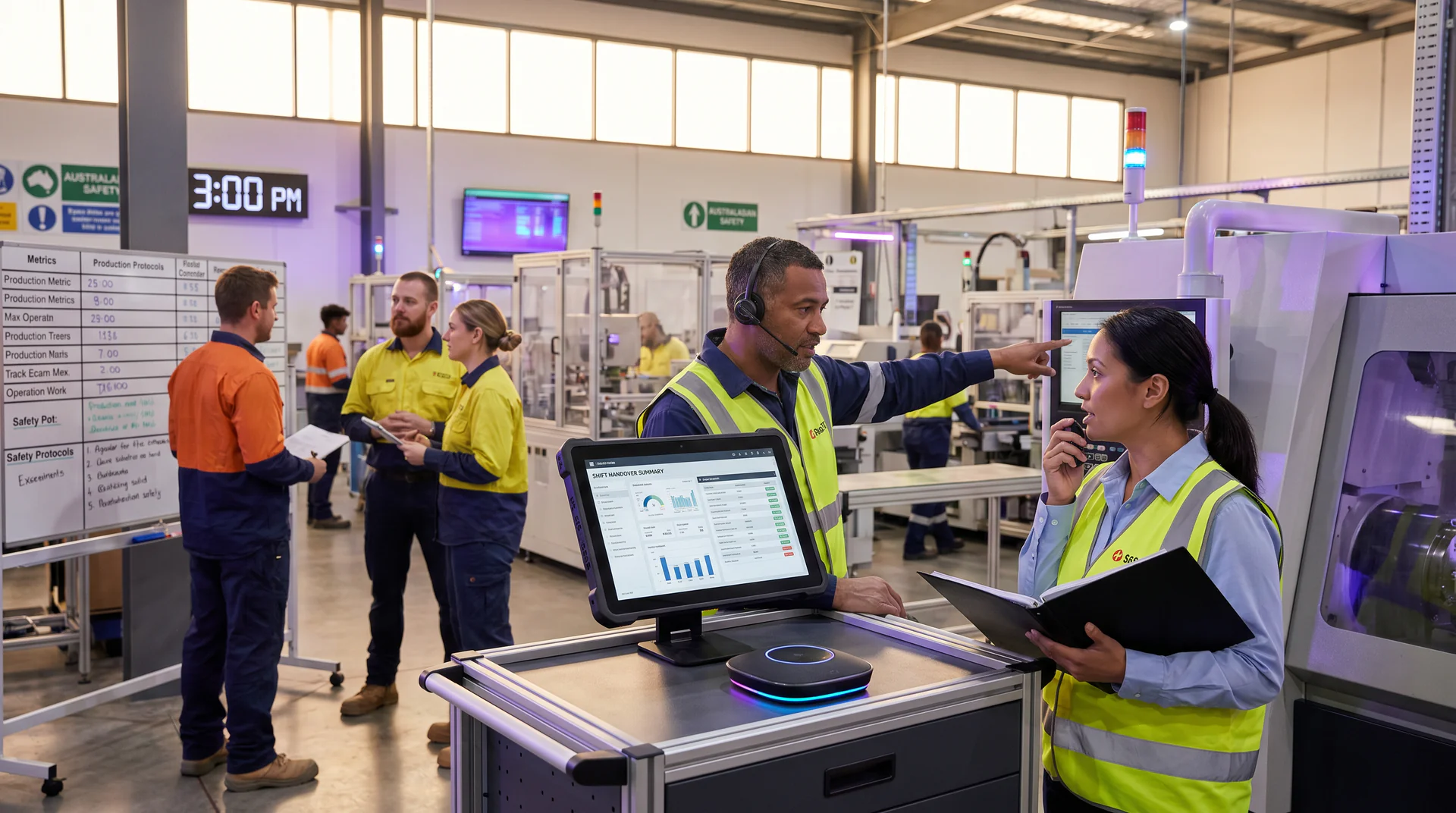
What a Manufacturing Floor Genie Actually Does at Shift Change
See how a voice AI genie handles fault codes, SOPs, and escalation questions at shift handover so your supervisors stop getting 1am phone calls.

The 30-Minute Window Where Most Plant Knowledge Walks Out the Door
At 5:55pm, your day-shift supervisor wraps up a handover note, grabs their bag, and heads for the car park. In their head: the workaround for Line 3’s intermittent feed sensor, the supplier contact for the hydraulic seals, and exactly why you should not run press speed above 80% until Tuesday’s PM visit.
That knowledge does not make it into the handover note. It rarely does.
By 11pm, the night operator hits the same fault code. They call the supervisor. The supervisor answers, half-asleep, explains the workaround in 90 seconds, and goes back to bed. This happens three to five times a shift in most mid-size plants. A manufacturing voice AI genie changes that without replacing anyone. It just answers the 30 boring questions a shift so the supervisor can sleep.
Why Shift Change Is a Knowledge Problem, Not a Communication Problem
Operations managers often try to fix this with better handover forms, longer overlap windows, or more detailed checklists. Those help at the margins. But the real issue is that tacit knowledge lives in people, not documents.
Except most plants actually have the documents. Maintenance manuals, fault code indexes, escalation matrices, SOP binders. They exist. They sit in a shared drive or a filing cabinet in the maintenance office. At 11pm, nobody is finding the right page in a 200-page PDF.
The gap is not documentation. It is access.
A genie pre-loaded with your existing documentation closes that gap. The operator asks a question in plain language. The genie finds the answer from the manual your team already wrote. No new knowledge is created. It is just made available at the moment it is needed.
A Realistic 30-Minute Window at Shift Handover
Walk through a typical handover window at a mid-size food and beverage plant. Four production lines, 12 operators on nights, one maintenance tech on call.
5:45pm: The Day Supervisor Leaves
The handover note says Line 2 is running clean. Line 3 had a packaging jam at 2pm, cleared by maintenance. Line 4 speed is capped at 75% pending a bearing check.
What the note does not say: fault code E47 on Line 3 has appeared twice this week. Both times it was a film tension sensor drift, fixable by running the manual calibration sequence in menu 7-B. The day supervisor knows this. Nobody else does.
6:15pm: Night Shift Starts
The night team does a walk-around. Lines 1 and 2 look clean. Line 4 is noted at 75% cap. Line 3 is running fine.
The operator on Line 3 has been on nights for three months. She knows the line reasonably well. She has not seen E47 before.
11:10pm: E47 Appears on Line 3
The line stops. The operator checks the handover note. Nothing on E47. She checks the machine’s display. It says “Sensor Fault. Contact Maintenance.”
Old workflow: she calls the maintenance tech on call. He checks his notes, cannot find E47 specifically, and calls the day supervisor. The supervisor explains the calibration fix. Total time: 18 minutes. Line runs again.
New workflow with a manufacturing floor genie: she walks to the shared tablet mounted near the line control panel and asks the genie.
What the Genie Actually Does
She types: “E47 fault code Line 3.”
The genie responds in seconds:
“E47 is a film tension sensor drift fault on Line 3. This has occurred twice this week. The fix is a manual calibration sequence. Go to Menu 7 on the HMI, select Calibration, then run Tension Sensor Reset (option B). The process takes about 2 minutes. If the fault returns within the same shift, contact the on-call maintenance tech and log it in the maintenance register.”
That answer came from the machine’s maintenance manual, the fault code index, and the week’s maintenance log. All documents your team already had. The genie pulled the right section, in plain language, with the escalation step included.
Total time: 45 seconds. The operator runs the calibration. Line 3 restarts.
The day supervisor’s phone does not ring.
The 30 Boring Questions Every Shift
E47 is one example. But the value of a manufacturing operations genie compounds across every question that does not need to go up the chain.
Here is what a typical night shift actually asks:
- “What is the cleaning chemical ratio for the Line 2 conveyor wash?”
- “Who do I call if the chiller goes down after midnight?”
- “What is the minimum batch weight before we need a QC hold?”
- “Where is the lockout/tagout procedure for the palletiser?”
- “Line 4 is at 75%, should I push it to 80%?”
- “What is the torque spec for the filler head bolts?”
Every one of those has an answer in a document your plant already owns. A maintenance manual. A cleaning SOP. An escalation contact sheet. A QC standard. A lockout/tagout procedure.
A factory floor knowledge tool like a genie does not write new answers. It retrieves the answers your team wrote, in the moment the operator needs them, in plain English.
Industry estimates suggest that between 20-35% of unplanned downtime in manufacturing can be traced to slow access to procedural information. Operators waiting for a callback, hunting through folders, or making a judgment call without the right reference. A well-loaded knowledge base cuts into that directly.
What Goes Into the Knowledge Base
This is the question most operations managers ask first: what do I actually need to load?
Start with three categories.
Fault code libraries. Every machine’s fault code index, formatted so the genie can match a code to a cause and a fix. If you have manufacturer manuals in PDF, those upload directly. The genie reads them.
SOPs and procedures. Cleaning schedules, startup sequences, batch change procedures, lockout/tagout docs, QC hold criteria. The documents your operators should be following anyway.
Escalation contacts and decision trees. Who to call for what. When to stop the line versus when to attempt a fix. What thresholds trigger a supervisor call versus a maintenance ticket. This is the context the day supervisor carries in their head. Written down and loaded into the genie, it travels with the shift.
You can also load machine-specific notes. If Line 3 has a known quirk at high humidity, that goes in. If the filler on Line 1 needs a 10-minute warm-up before it hits rated speed, that goes in. Your knowledge base is yours. The genie reflects your plant, not a generic factory.
Check out the fault codes use case for a more detailed look at how this works for specific machine types.
What the Genie Does Not Do
Worth being direct about this.
The genie does not make judgment calls. It does not decide whether to stop a line. It does not assess physical machine condition. It does not replace the maintenance tech or the shift supervisor.
What it does is eliminate the tier of questions that did not need a human in the first place. The operator who needed to know the torque spec does not need to call anyone. The operator who needed the chemical ratio does not need to wake up the day team. The operator who hit E47 for the first time does not need to interrupt anyone’s sleep.
The hard calls still go to the right people. The genie is often the thing that helps the operator recognize which category their problem falls into.
That distinction matters for supervisors who worry the genie will make operators less likely to escalate serious issues. In practice, the opposite tends to happen. When operators trust that routine questions will get clean answers quickly, they are more confident about the difference between a routine question and a real problem.
The Supervisor’s Friday Afternoon Problem
If you are reading this as the operations manager trying to figure out how to get fewer 1am phone calls, here is the honest picture.
The calls you are getting are not because your team is undertrained or lazy. They are getting called because the answer exists and is inaccessible. Your supervisors are human search engines for information that should be in a system.
Deploying a genie for shift handover does not require rebuilding your documentation. It requires uploading what you already have. You load the manuals, the SOPs, the fault codes, and the escalation contacts. You add the plant-specific knowledge that currently lives in people’s heads but can be written down in a few hours.
From there, the genie is available on a tablet near the line, on a phone via QR code, or on a desktop in the maintenance office. The manufacturing industry page covers how other plants have structured this across multiple lines and shifts.
Setup follows a straightforward path: upload your documents, customize the genie’s knowledge base and escalation prompts, then go live across whichever channels fit your plant layout. No developers needed. No long IT project. Most plants get a first version live within a few days.
The result is not a perfect system on day one. It gets better as you add more documents and refine the answers over time. But the 1am call about a fault code your maintenance manual already covers. That one stops on day one.
Start With One Shift
You do not need to overhaul anything. Pick one shift. Pick the line with the most repeat questions. Load the relevant fault codes and SOPs. Point the night team to the genie for routine questions.
Run it for two weeks. Track the maintenance calls that did not happen. Talk to the operators about whether the answers were accurate. Refine from there.
Manufacturing voice AI is not a replacement for your team’s expertise. It is what makes that expertise available around the clock, even when the expert is asleep.
Ready to see how it works for your plant? Explore the manufacturing genie or run your numbers through the ROI calculator.
Help Genie Tips
Get more from your voice genie

Cover nights, weekends, and holidays automatically
Your genie picks up every call outside business hours, qualifies leads, handles emergencies, and books appointments for the next morning. No answering service needed.

Clone and customize genies for different locations or roles
Running multiple locations or departments? Clone an existing genie, swap the details, and deploy. Each genie gets its own number, knowledge, and branding.

Pick the perfect voice for your brand
Choose from dozens of natural-sounding voices or clone your own. Adjust tone stability, speaking speed, and similarity to match exactly how you want your business to sound on the phone.
Explore voices
Train your genie with your own business data
Upload PDFs, spreadsheets, website pages, or just paste text. Your genie learns your pricing, services, policies, and FAQs instantly with no coding and no wait.
See how it worksReady to try it?
Set up a voice genie for your business in minutes.