 Use Case general
 How a Spare Parts Photo Changes Everything
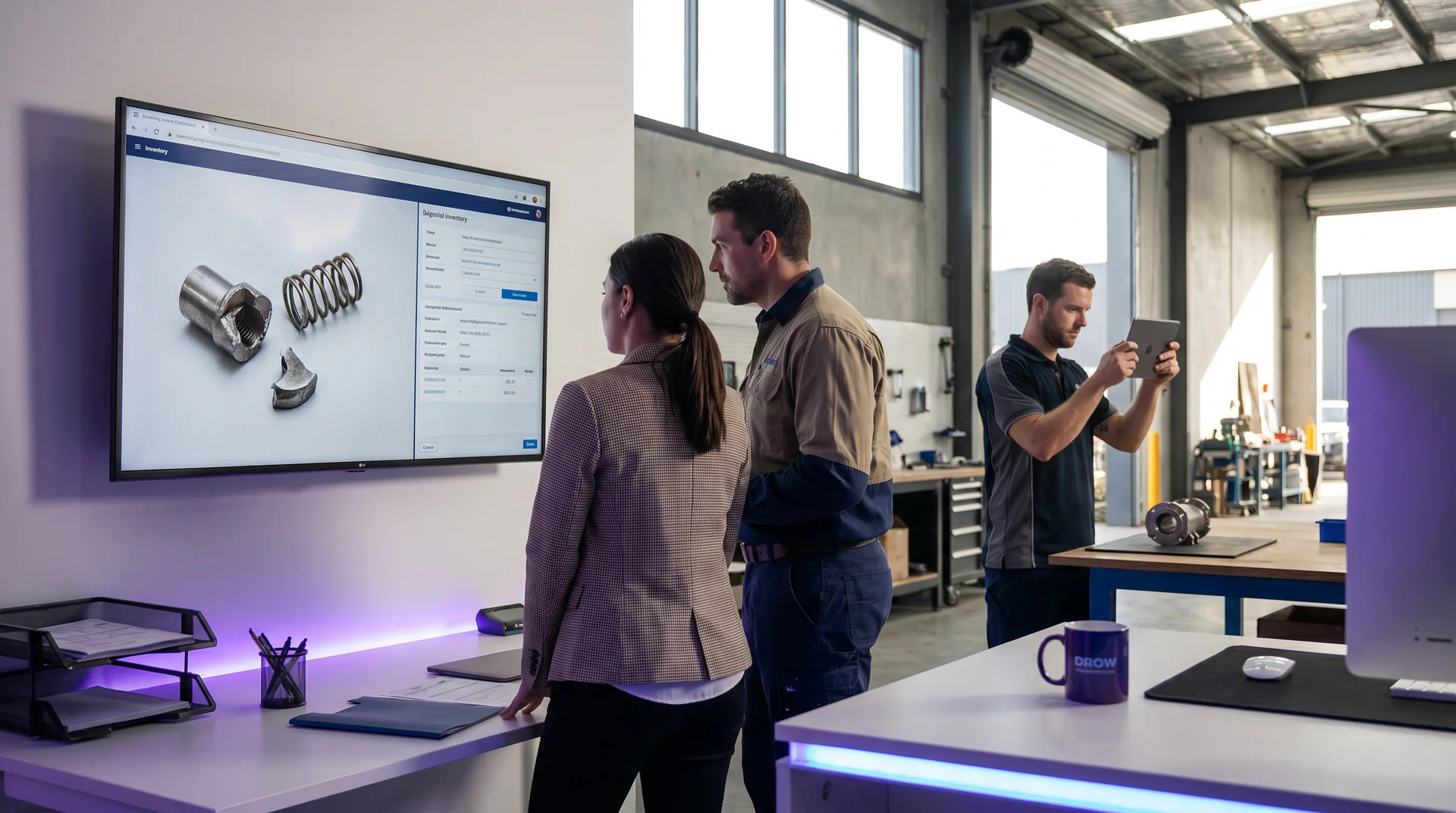
A genie that takes a spare parts photo identifies broken components in seconds, confirms availability, and gets the order to your team before the customer loses patience.
 Help Genie
 The Call Comes In at 2:30pm
It’s mid-afternoon. Your best parts person is already juggling two enquiries and a walk-in.
The phone rings. A customer needs a part. They describe it like this:
“It’s the round one. Has four holes in it. Sits inside the housing. The one with the spring. You know the one.”
Your parts person does not know the one. Nobody does.
No part number. No model number. Just a vague description from someone who is frustrated, behind schedule, and drumming their fingers on a workbench somewhere with a machine sitting dead in the middle of a job.
This conversation is going to take 25 minutes. It will involve a lot of “can you describe it again?” It will probably end with the customer being told to bring the broken part in. Or they’ll hang up and call someone else.
This scenario plays out across parts counters every single day. In workshops, on job sites, in small engine shops, in agricultural supply chains, in marine service yards. The customer knows what’s broken. They just don’t speak “parts catalogue.”
The Gap That’s Been There for Years
The bottleneck at a parts counter isn’t inventory. It’s identification.
Your catalogue might have 40,000 SKUs. Your staff might know 3,000 of them by heart. But when a customer walks in with a greasy, broken component and zero documentation, even experienced counter staff hit a wall fast.
The tools that exist today don’t help much. A parts lookup system is only useful if you already know what you’re looking for. Cross-reference databases require a starting point. Supplier portals demand a model number before they’ll show you anything.
The customer doesn’t have a model number. They have a broken part and a deadline.
So the conversation drags. Staff spend time they don’t have chasing down descriptions that may or may not lead anywhere. Customers get frustrated. Some abandon the call. Some drive across town to a competitor who happens to have someone on shift who recognises the part by sight.
This is the gap. And it’s been sitting there since smartphones became standard issue on every job site.
What a Spare Parts Photo Changes
The technology to close this gap is here now.
A genie built on your parts catalogue, your supplier database, your cross-reference library, and your common substitutes can identify a component from a photo. Not in 25 minutes. In seconds.
Here’s how the flow works in practice.
Step One: The Photo
The customer is at the machine. The technician is in the field. The walk-in is standing at your counter with the broken part in hand.
Instead of describing it, they snap a photo. They send it through. This works via a QR code on your counter, a link you send them, or your website widget. The genie receives the image.
This is the step that changes everything. A photo carries more diagnostic information than five minutes of verbal description.
Step Two: Identification
The genie cross-references the image against your knowledge base. It checks the visual profile against known parts, matches against model families, looks for catalogue entries that fit the physical description.
It asks a clarifying question if it needs one. “Does this part have a rubber gasket on the inner face?” Or it moves straight to a match if the image is clear enough.
The result: a part number. A name. A description that confirms what the customer is looking at.
This is the moment that ends the guessing game.
Step Three: Availability and Options
Once the part is identified, the genie checks what’s in stock. It can confirm whether the part is on the shelf at your location, expected on the next delivery run, or available from a regional branch.
If the exact part isn’t available, it pulls substitutes and cross-references. It tells the customer what fits, what doesn’t, and why. It doesn’t leave them hanging with “we’ll have to order it in” and no timeframe.
It gives them a real answer. Options with lead times. A clear next step.
Step Four: The Order
The genie can share an order link in the chat. Or it sends the request to your team with the part number already confirmed, so your staff aren’t starting from scratch.
The customer is back working before they finish their coffee. That’s not an exaggeration. That’s the target.
What This Looks Like for Different Businesses
The spare parts photo scenario applies across a wide range of industries.
In automotive and mechanical repair, the part in question might be a seal, a bracket, or a clip that no longer has legible markings. A technician in the middle of a job doesn’t want to leave the vehicle to drive to a parts counter. A photo from their phone solves it on the spot.
In industrial equipment and manufacturing settings, downtime costs are real and immediate. If a machine is sitting idle because someone can’t identify a worn component, every minute matters. The genie cuts the identification step from half an hour to under a minute.
In agricultural supply and equipment service, parts queries often come from remote locations where the customer has limited connectivity and even less patience for being put on hold. A genie that handles the identification through a photo means the parts counter can serve customers who can’t easily get there in person.
In appliance repair and home services, technicians on the road often deal with components from older models that aren’t easy to find in current catalogues. A photo-based identification system helps them match against known substitutes and keep jobs moving.
You can read more about how voice AI fits into the appliances category on the appliances industry hub page, and how it applies to trades and services on the trades industry hub page.
The Real Outcome: Your Parts Business Scales Without Scaling Your Team
Here’s the number that matters.
Parts counters that rely on staff knowledge to handle vague descriptions are capacity-limited by how many experienced people they can put on the phone. Hire more staff and you raise your cost base. Let calls pile up and you lose sales to whoever picks up faster.
A genie that handles spare parts photo identification doesn’t get tired. It doesn’t go on lunch break at 12:30 when the trade rush hits. It handles the same call at 7am that it handles at 4:45pm on a Friday.
Faster identification also reduces the chance that the customer gives up and orders from a competitor. If you get them an answer in under a minute, the sale stays with you. If you put them on hold, the outcome is less certain.
And for your counter staff: the genie handles identification. They focus on the complex stuff. The relationships. The orders that need a human touch. The customers who need advice, not just a part number.
That’s a better use of your team’s time. It’s also a better experience for everyone standing at the counter.
The Knowledge Base Is the Foundation
The genie is only as good as what it’s trained on.
This is where the preparation matters. Your knowledge base needs to include your full parts catalogue, your cross-reference data, your supplier information, and your common substitutes. The more complete the knowledge base, the more confidently the genie can identify and confirm.
If your catalogue lives in PDFs, you upload them. If it’s a website or a supplier portal, the genie can be pointed at that too. The setup is straightforward. You don’t need a developer to make this work.
Once it’s live, a weekly report shows the questions it could not answer, so you know what to add. The knowledge base grows with your business.
You can see how this applies to your specific industry through the explore genies page, or run the numbers through the ROI calculator to get a clearer picture of the time and revenue impact.
This Is the Parts Counter You’ve Always Wanted
Since smartphones became standard on job sites, the idea of sending a photo to identify a part has been obvious. The missing piece was a genie that actually knows your catalogue well enough to do something useful with that photo.
That piece is here now.
Your parts business stops being limited by how good your counter staff are at decoding vague descriptions over the phone. It becomes limited only by what you have in the catalogue.
That’s a different kind of problem. A better one.
See how a genie handles spare parts identification for your business. Start at explore genies.
Hear it answer for your business
Paste your site and talk to a genie trained on it in about 60 seconds. No signup, no form.
Build your genieKeep exploring
Further reading and useful tools
We answered a lot of calls with AI. Here's what surprised us.
Tim Boyle shares what actually happened when we put voice AI into production. The results were not what we expected.
BlogManuals Are Dead. Here's What Replaces Them
Nobody reads the manual. They call and ask. Here's why your knowledge base should be something people can talk to, not scroll through.
Use CaseOne Genie vs One Support Hire Cost Compare
See how voice AI stacks up against a full-time support hire. Multi cost compare for small business. Real numbers, real scenarios.
Use CaseOne Tour Guide, Fifty Questions
When guests flood a tour guide with questions mid-trip, voice AI steps in. See how one genie handles the question traffic so guides can lead.
GuideHow to Build a Knowledge Base From Your Existing Manuals
Turn your service manuals, PDFs, and FAQs into a voice AI knowledge base your genie answers from. Eight practical steps for trades, appliances, and more.
GuideHow to Pick Your Channel and Deploy Your Genie in 5 Steps
Pick the right channel for your genie in minutes. QR codes, phone, web widget, or email links. One genie answers on all of them.
Help Genie
The Help Genie Team
The Help Genie team builds voice AI genies that resolve everyday support on their own — across phone, chat, web, and email — in your voice, 24/7. We write about what we learn shipping it to real businesses.
Building voice AI for 11+ industries, from trades to hospitality.
- voice AI
- customer support
- lead capture
- multi-channel genies