 Guide
Guide 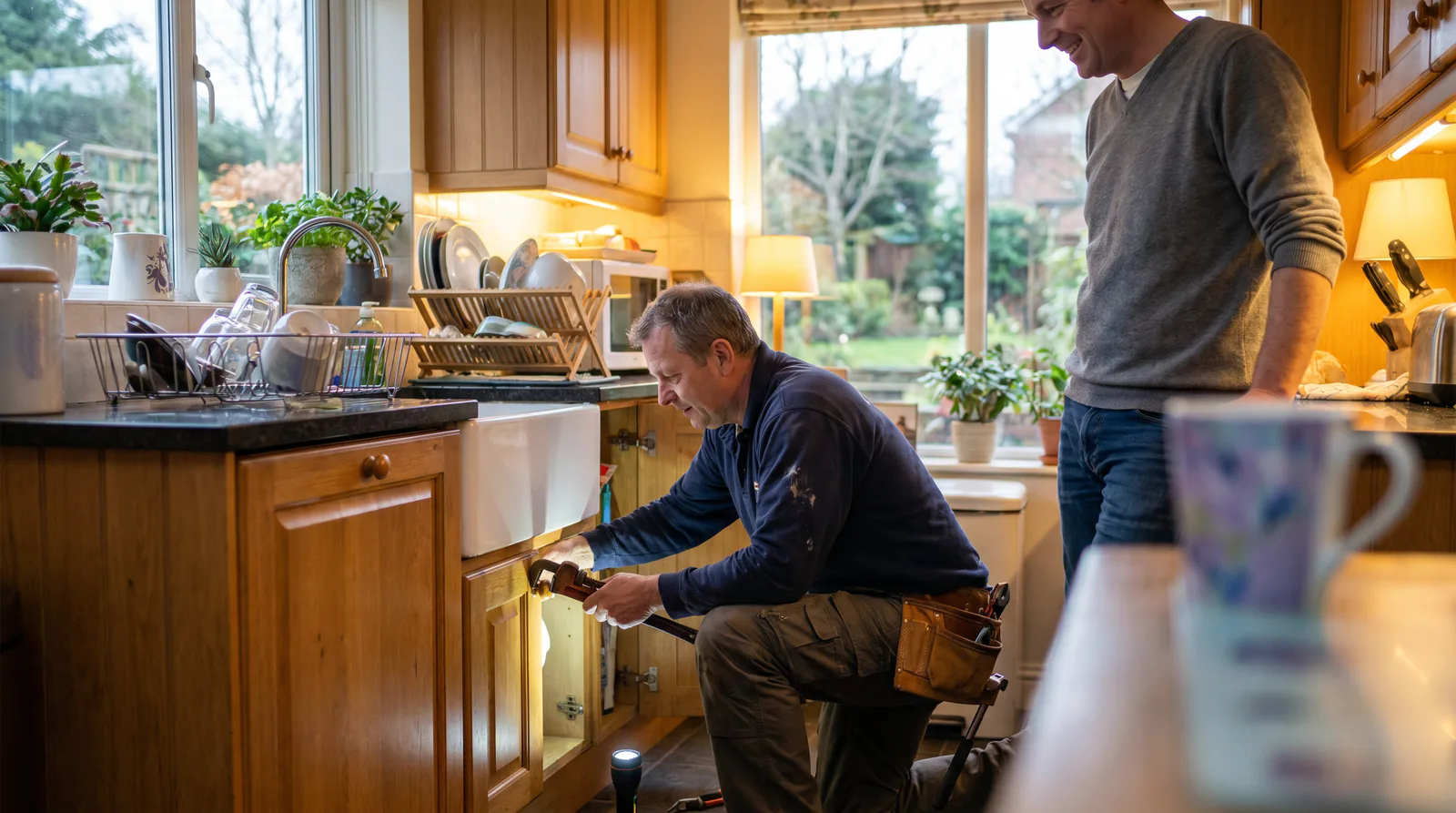
Why Trades Businesses Lose Money Every Time the Phone Rings Out
Every trades business runs on the phone. A plumber under a house, an electrician up a ladder, a landscaper behind a mower - none of them can stop and answer. So the call rings out, goes to voicemail, and the caller does the one thing that costs you the job: they hang up and ring the next name on the list.
That’s the quiet leak in almost every trades business. It isn’t dramatic. No one sends you an angry email about the call you never took. The revenue just never shows up, and you never see the face of the customer who booked your competitor instead.
The pattern is worth sitting with for a second. When someone’s hot water has failed or their power is out, they are not patient shoppers. They are stressed, and they are calling in order. First contractor who picks up and sounds like they can help gets the job. Second and third callers rarely get a callback because by then the caller has already booked someone. A missed call in the trades isn’t a delayed sale - it’s usually a dead one.
The after-hours problem is the real problem
Business-hours misses hurt, but they’re recoverable. Your team is around, they can call back within the hour, and most reasonable customers wait that long for a scheduled job.
After hours is where the money actually walks out the door. Emergencies don’t keep office hours. Pipes burst at 11pm. Storms knock out power at 2am. Someone locks themselves out coming home from a night shift. These are the highest-value, highest-intent calls you get all week, and they land at exactly the moment no one is there to answer. If your only after-hours option is voicemail, you are handing your best jobs to whoever answers their phone.
We built Help Genie’s voice AI platform for exactly this gap. A branded voice genie answers every call, day or night, in your business’s name - so you never miss a job call again. If you want the plain-English version of what that gap costs, the breakdown at what missed calls actually cost a small business and the trades-specific numbers at the real cost of after-hours calls for trades in 2026 are the two worth reading first.
What a Voice Genie Actually Does for a Trades Business (and What It Won’t)
Let’s be honest about the tool, because overselling it helps no one and trades people can smell a pitch from across the yard.
A voice genie is a branded voice AI agent that answers your calls. It’s trained on your business - your service area, your prices, your policies - and it talks to callers in your voice, not a generic script. It works on your website, on a dedicated phone number, and through your existing business line if you forward it after hours. You can see all of this on the Trades & Services hub, which the whole platform is organised around, and on the never miss a call page for trades.
What it does well
A genie is genuinely good at the repetitive, time-sensitive front-of-house work that eats your day:
- Provides 24/7 configured coverage. Voice AI does not wait for a shared human operator; latency and peak capacity depend on the account, telephony, and configuration.
- Triages emergencies from routine work. It asks the qualifying questions you’d ask and decides whether to dispatch or schedule.
- Captures the lead completely. Name, number, address, the nature of the fault, and the urgency - all logged and emailed to you as a clean summary.
- Books and schedules routine jobs during and outside business hours.
- Answers the tyre-kicker questions - “do you cover my suburb,” “roughly what does a callout cost,” “are you licensed” - that would otherwise interrupt paid work.
What it won’t do
Here’s where being straight matters. A genie will not climb under the house and fix the leak. It won’t give a firm quote on a job it can’t see. It won’t make the human judgement call about whether a slightly-off water heater is a “tonight” problem or a “Tuesday” problem - you decide that logic, and it follows it.
And it is not a call answering service or a phone tree with a fresh coat of paint. It doesn’t dump callers into “press 1 for sales.” It has an actual conversation, understands what the person needs, and routes accordingly. If you’re weighing it against the alternatives, the honest side-by-sides at AI vs a human receptionist for plumbing and AI vs a human receptionist for HVAC lay out where each option genuinely wins.
The right way to think about it: the genie is your always-on front desk. Your team is still the business.
The Calls You’re Missing, Broken Down by Trade
“Missed calls” is too vague to act on. The calls that matter are specific, and they look different depending on what you do. Here’s the real texture of it, trade by trade.
Plumbing
Plumbing lives and dies on the emergency. A burst pipe or a failed hot water cylinder is a right-now problem, and the caller is often standing in water while they dial. These are your best-paying, most-urgent jobs, and they cluster after hours and on weekends. A genie built for plumbing confirms the emergency, gets the address, warns the caller to shut off the mains if it’s a burst, and dispatches - while a routine “my tap drips a bit” gets slotted into tomorrow’s run. The deep dive at handling after-hours calls for plumbing companies and the walkthrough at emergency call handling for plumbing show it in motion. There’s even a vivid version at the plumber in the crawl space for when your hands are literally full.
Electrical
Electrical work has a seasonal spike no one can staff for: storm season. When the power goes out across a suburb, every affected household calls electricians at once, and they all call within the same hour. You physically cannot answer them all. A genie for electrical work absorbs that surge, safety-screens for live-wire and fire risk, captures every caller, and gives you a prioritised list instead of a full voicemail box. We wrote up exactly this scenario in handling electrician calls during storm season.
HVAC
HVAC is the seasonal business. Cooling calls all summer, heating calls all winter, and a maintenance rhythm in between. The emergencies here have a human-safety edge - a home that’s dangerously hot or cold with a vulnerable person inside. A genie for HVAC triages on vulnerability, books the routine annual services that keep your calendar full in the shoulder seasons, and follows up on maintenance. See emergency response for HVAC companies and HVAC maintenance follow-up, and if you want the volume shape of a year, the HVAC 12-month call volume pattern is genuinely useful for planning.
Locksmith
Locksmith work is almost pure emergency, and it’s almost entirely after hours. Lockouts happen at night, in car parks, at the front door in the rain. The caller is stressed, sometimes unsafe, and will absolutely ring the next locksmith if you don’t pick up. A genie for locksmith services answers instantly, confirms location and whether anyone is at risk, and dispatches. The full pattern is in lockout response for locksmith services.
Landscaping
Landscaping flips the model - it’s less about 2am emergencies and more about quote volume during the season. Spring hits and suddenly everyone wants their yard sorted at once. Those are estimate requests, and every one you don’t respond to fast goes to a competitor. A genie for landscaping captures the job details, qualifies the scope, and schedules the site visit so your estimates don’t pile up unanswered. More at estimate scheduling for landscaping companies.
Painting
Painting is a consultation-and-quote business. Callers want to talk through colours, surfaces, timelines, and rough pricing before they commit. A genie for painting fields those questions, captures the project scope, and books the in-person colour consultation instead of letting the inquiry cool off in a voicemail. The specifics are in color consultation for painting contractors.
Across all of these, the connective tissue is the same: the after-hours and overflow calls you can’t catch are the ones with the most money attached. The general playbook lives at the after-hours call handling guide for service businesses.
Set Up Your First Trades Genie in an Afternoon
Here’s the concrete part. Follow these numbered steps in order and you’ll have a working genie answering calls today. Each step ends with a result you can actually check.
Step 1: Sign up and pick the Trades preset
Create a free account at helpgenie.ai. When prompted for your industry, choose Trades & Services, then pick your specific trade - plumbing, electrical, HVAC, locksmith, landscaping, or painting. This loads a preset that already understands your trade’s language, so terms like “burst main,” “RCD tripped,” or “lockout” mean something from the first minute.
Verifiable result: You land on a genie dashboard with trade-specific settings pre-populated.
Step 2: Upload your business documents
Open the Knowledge Base and upload what you’ve gathered - service area, price ranges, common fault notes, and your after-hours policy. PDFs, Word docs, and plain text all work. Don’t have a formal document? Type a short FAQ entry directly. A single clear paragraph on how you handle emergencies does a surprising amount of work.
Verifiable result: Your knowledge base shows at least four sources and your after-hours policy is visible as text the genie can reference.
Step 3: Set your emergency vs routine triage logic
In the conversation flow settings, build two paths. Path one - immediate dispatch - fires when a caller reports a genuine emergency for your trade and confirms the qualifying condition (water everywhere, no power, someone locked in, a vulnerable person in a dangerously hot or cold home). It captures address and phone and routes to your on-call contact. Path two - schedule - handles everything else with a next-day booking or callback.
Verifiable result: You can trace two distinct paths, one ending in dispatch details and one in appointment booking.
Step 4: Brand your genie
In Branding, give it a simple, professional name in your business’s name, pick a calm and confident voice (trades callers respond to that), and write a short greeting under 20 seconds. Add your logo and colours if you’re deploying the website widget. This is what turns a generic voice into your business answering the phone.
Verifiable result: In a preview call, the genie introduces itself with your name and greeting.
Step 5: Deploy to your website and a phone number
Go to Deploy. Paste the widget code into your website’s contact or footer area, and claim a phone number with a local area code. Then forward your existing business line to it after hours - customers keep calling the number they already know, and the genie picks up when your team can’t.
Verifiable result: The widget shows on your site, and calling the number plays your genie’s greeting.
Step 6: Run three test calls
Don’t skip this. Call in as a true emergency and confirm it dispatches and reads your details back. Call as a routine job and confirm it schedules and emails you the lead. Call as a tyre-kicker (“roughly what’s a callout?”) and confirm it gives a range, qualifies, and does not dispatch anyone.
Verifiable result: All three route correctly, lead emails arrive, and no false dispatch is triggered.
If you want a trade-specific walkthrough of this same flow, the HVAC first-genie setup guide and the AI receptionist setup for trades go step by step with screenshots-worth of detail.
What Knowledge to Feed Your Genie
A genie is only as good as what it knows. Garbage in, confused caller out. The good news is that a trades business already has all of this in its head - it just needs writing down once.
Your service area
List the suburbs, towns, or postcodes you actually cover, and note any you don’t. This lets the genie tell a caller in the next town over “we don’t cover your area, but here’s who does” instead of booking a job you can’t reach. A tight service area is the single most common gap, and it’s the easiest to fix.
Pricing basics - ranges, not guesses
You don’t need a firm price list. You need honest ranges and the things that change them. “Standard callout is in this range. Emergencies and after-hours carry a higher rate. Final quotes depend on the job.” That’s enough for the genie to set expectations without over-promising, and it stops the awkward “I can’t tell you anything about price” dead end that sends callers elsewhere.
The line between emergency and routine
This is the most important knowledge you’ll add, because it drives the triage. Write down, in plain words, what counts as a real emergency for your trade versus what waits until tomorrow. For a plumber, a burst main is tonight, but a slow drip is Tuesday. For HVAC, a dangerously cold home with an infant is tonight, but a noisy fan is next week. Be specific. The genie follows your definition exactly.
Your escalation path
Tell the genie who to reach and how, when a call clears the emergency bar. Which number gets the after-hours dispatch text? Who’s the backup if the first contact doesn’t answer? What does the genie tell the caller while help is arranged? A clear escalation path is what turns a captured emergency into a booked, dispatched job instead of a lead sitting in an inbox until morning.
Your top call types
Think about the five calls you get most, and write two or three sentences on how you handle each. This covers the vast majority of real conversations and dramatically cuts the “sorry, I can’t help with that” moments. If a caller asks something the genie can’t answer, that’s just a signal to add one more FAQ entry.
Build Triage That Actually Holds Up Under Pressure
Setup gets a genie live. Good triage is what makes it worth having. A genie that dispatches on every call is as useless as one that dispatches on none - the whole value is in getting the judgement right, consistently, at 3am, when you’d otherwise be asleep.
Ask before you decide
The mistake is jumping straight to a decision. A well-built trades genie qualifies first. It asks the one or two questions that separate urgent from routine - “is water still coming in,” “is the power out to the whole property or one circuit,” “is anyone locked inside or unsafe” - and only then routes. Those questions are exactly what your best office person would ask, written down once.
Match urgency to your actual capacity
Triage isn’t just severity - it’s what you can realistically do tonight. If you’re a solo operator, your emergency path might dispatch only true safety-and-property risks and offer everything else a first-thing-tomorrow slot. If you run a crew with an on-call roster, you can afford a wider emergency net. Tune the threshold to your business, not to a generic template.
Give routine calls a real outcome
The routine path should never feel like a brush-off. “That’s not an emergency, we’ll deal with it later” loses the job. Instead the genie should book a specific time or promise a callback window and capture everything, so the caller hangs up feeling handled. Landscaping and painting live almost entirely on this path - the “emergency” is really “respond to my quote before your competitor does.”
Test it against your worst week
Once it’s built, throw your hardest scenarios at it. The confused caller who buries the emergency in small talk. The person who insists everything is urgent. The one who won’t give an address. If the triage holds up against those, it’ll hold up on a normal Tuesday.
Measure the Impact So You Know It’s Working
Trades people don’t run on vibes - you run on jobs booked and dollars in. So measure the genie the same way you measure a new van or a new hire: does it pay for itself?
Track the numbers that actually matter
Skip the vanity metrics. The ones worth watching are:
- Calls answered vs missed before and after. This is the headline. Every after-hours call that used to hit voicemail and now gets captured is found money.
- Leads captured after hours. These are the high-intent, high-value jobs you were previously handing to competitors.
- Emergency vs routine split. Confirms your triage is sorting correctly and not over- or under-dispatching.
- Jobs booked from genie conversations. The bottom line - conversations turned into scheduled, paid work.
Every conversation is transcribed and summarised in your dashboard, so none of this is guesswork. You can read exactly what callers asked and what the genie did.
Put a dollar figure on it
The clearest way to justify the tool is to price the calls you were missing. Take your average job value, multiply by the after-hours calls you weren’t answering, and the number tends to get people’s attention fast. The ROI calculator does this math for you in about a minute, and the reasoning behind it is laid out at the ROI of never missing a call again. If you want to compare running costs against the alternatives specifically, the trades cost comparison guide is built for that.
Review and refine monthly
Once a month, skim the transcripts for the calls where the genie stumbled or said “I can’t help with that.” Each one is a five-minute knowledge base fix. Over a season, that habit turns a good genie into one that handles nearly everything your front desk would.
Voice AI vs IVR Phone Trees vs Human Answering Services
Most trades businesses have tried one of the old options. Here’s how they honestly stack up, because the point isn’t that everything else is bad - it’s matching the tool to the problem.
IVR phone trees
The “press 1 for bookings, press 2 for emergencies” menu is cheap and predictable, and that’s the extent of its virtue. Callers hate it. A stressed customer with a burst pipe doesn’t want a menu - they want a human, or something that acts like one. Phone trees also can’t actually do anything: they route, they don’t resolve, and they certainly don’t capture a lead or triage an emergency. They’re a switchboard, not a front desk. A voice genie has a real conversation and takes real action, which is a different category of tool entirely.
Human answering services
A live answering service is a genuine step up from a phone tree - real people, real conversations. The problems are cost and knowledge. They typically bill per minute or per call, so your bill spikes exactly when you’re busiest, like storm week. And the operators don’t know your business. They’re reading a thin script, so they can’t answer “do you cover my suburb” or “roughly what’s a callout” without taking a message. They’re a message-taking layer, not a booking-and-triage layer.
Where a voice genie fits
A branded voice genie sits in between and covers the gaps: it converses like a person, knows your business like your office manager, triages like your best staffer, and costs a base rate per genie rather than spiking with your call volume. It’s not magic and it won’t replace human judgement on the complex jobs - but for the front-of-house volume that’s currently going to voicemail, it’s the strongest fit.
For the detailed head-to-heads, see the best AI receptionist for trades contractors, plus the trade-specific breakdowns at best AI receptionist for plumbers and best AI receptionist for HVAC companies. And for where the whole trades market is heading, the state of AI in trades 2026 is worth a read.
Rolling It Out Without Disrupting the Business
The fastest way to sour a good tool is a messy rollout. Trades businesses run lean and can’t afford a week of confused customers, so stage it.
Start with after hours only
Don’t flip everything at once. Forward only your after-hours and weekend calls to the genie first. Your team keeps answering during the day exactly as they do now, and the genie only catches what was already going to voicemail. There’s zero downside - you’re capturing calls you were losing anyway - and it gives you a low-stakes window to hear how it performs on real callers.
Bring your team along
Show your office staff and on-call crew the transcripts early. The fear is always “this thing will book jobs we can’t do” - the transcripts kill that fear because they can see the triage working. Once they trust it, they stop double-checking every lead and start treating it like a reliable teammate.
Expand to overflow, then daytime
Once after hours is solid, add overflow - the genie catches calls when every line is busy or the office is slammed. From there you can decide whether daytime coverage makes sense. Many trades businesses happily leave humans on daytime and let the genie own nights, weekends, and overflow. That’s a completely valid end state. Browse what other trades operators are running at the explore page, and when you’re ready to scale genies or add a phone number, the pricing page has the base-and-usage tiers laid out.
Keep the knowledge base fresh
The rollout isn’t “set and forget.” Prices change, service areas grow, new fault types show up. Ten minutes a month keeping the knowledge base current is the difference between a genie that ages well and one that slowly drifts out of date.
Frequently Asked Questions
Will a voice genie replace my office manager or answering service?
No, and it shouldn’t try to. A genie handles the volume no human can catch - after-hours calls, overflow during a rush, and the third caller ringing while your team is on the tools. Your people still handle the judgement calls and the jobs the genie books for them.
Can a genie tell a real emergency from a routine job?
Yes, if you set up the triage logic. You define what counts as urgent for your trade - a burst pipe, a full power outage, a lockout with a child inside - and the genie asks the qualifying questions before it decides to dispatch or schedule. It never dispatches on a vague inquiry.
How long does it take to get a trades genie live?
Most trades businesses get a first genie answering calls in an afternoon. Gathering your service area, price ranges and after-hours policy is the slow part. The setup itself - upload, brand, deploy - takes minutes because no developers are involved.
What does it cost to run voice AI for a trades business?
Help Genie starts on a Free plan at $0, then moves to Pro at $299 a month flat as your volume grows. Enterprise is $499 for multi-branch operations. Because it’s a flat monthly rate rather than per-minute, the cost is known before the month starts.
Do customers know they’re talking to a genie and not a person?
You choose how it’s introduced, but the goal is never to trick anyone. The genie speaks in your business’s name and voice, captures what the caller needs, and hands off to a human when the situation calls for it. Callers care that someone picked up and their problem is moving - not who wrote the greeting.
Ready to stop losing after-hours jobs to voicemail? Start free at helpgenie.ai - no credit card, and you can be live tonight.
Keep exploring
Further reading and useful tools
Johnni Alternatives for AU and NZ Tradies (2026)
Johnni alternatives for Australian and NZ trades. Published prices, per-minute overage, job software add-ons and six options with honest trade-offs.
ComparisonSophiie Alternatives for Australian Trades (2026)
Six Sophiie alternatives for Australian trades and service businesses, with published AUD pricing, setup fees, contract terms and honest trade-offs.
Use CaseYour Parts Catalogue Shouldn't Live Inside One Person's Head
When your best counter person goes on leave, the whole counter struggles. Here's how a voice AI genie reads your full parts catalogue so your team doesn't have to.
Use CaseHow Voice AI Helps Workers Find the Right Permit to Work Answer in Seconds
See how a voice AI genie helps trades workers navigate complex permit-to-work frameworks fast, with clause references and sign-off chains on demand.
BlogHow AI Voice Assistants Handle Angry Callers
Angry callers are inevitable. Learn how AI voice assistants de-escalate frustration, capture complaints, and route heated calls without losing the customer.
BlogThe ROI of Never Missing a Call Again
Every missed call has a dollar value. Here's how to calculate the real ROI of answering every call and what businesses across industries are seeing in results.

Help Genie
The Help Genie Team
The Help Genie team builds voice AI genies that resolve everyday support on their own — across phone, chat, web, and email — in your voice, 24/7. We write about what we learn shipping it to real businesses.
Building voice AI for 11+ industries, from trades to hospitality.
- voice AI
- customer support
- lead capture
- multi-channel genies