 Update
 Connect Help Genie to Your CRM With the New Integration
Help Genie now syncs leads, call logs, and appointments directly to Salesforce, HubSpot, and Zoho CRM. No manual data entry required.
Every call your voice genie handles now flows straight into your CRM. No copy-pasting, no forgotten follow-ups, no leads falling through the cracks.
What’s New
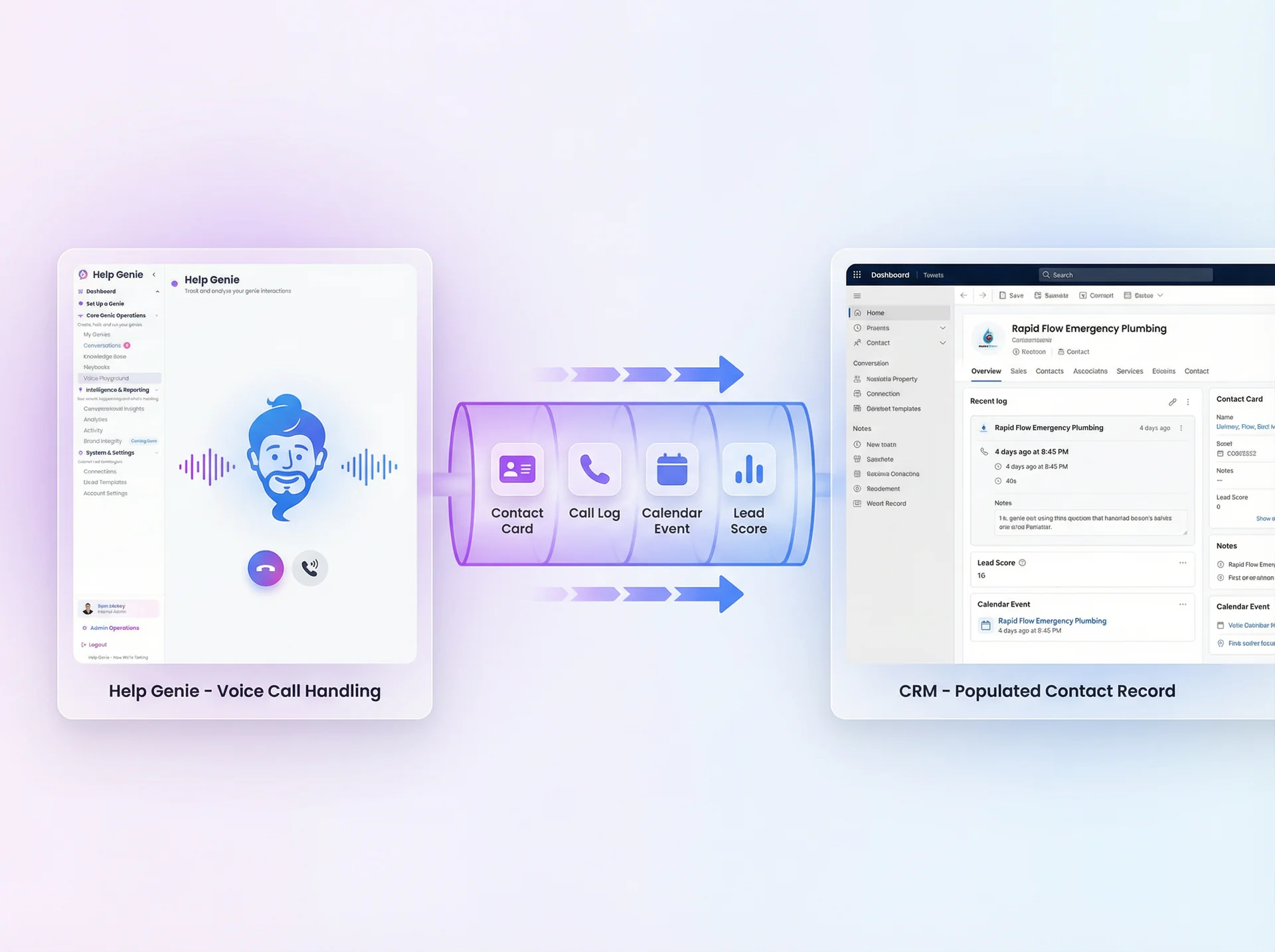
Help Genie now integrates directly with Salesforce, HubSpot, and Zoho CRM. When your voice genie takes a call, the integration automatically:
- Creates or updates contacts with the caller’s name, phone number, and any details captured during the conversation
- Logs call activities with timestamps, duration, call summaries, and the genie’s classification of caller intent
- Syncs appointments booked by the genie directly to your CRM calendar and associated contact record
- Pushes lead scores based on the genie’s assessment of caller urgency and purchase intent
Everything happens in real time. By the time your sales team opens their CRM, the new lead is already there with full context from the call.
Why We Built It
The number one piece of feedback from businesses using Help Genie was: “The genie captures great information, but then I have to manually enter it into my CRM.” That defeated half the purpose of automation.
We watched how teams actually worked. The genie would handle 20 calls overnight. In the morning, someone would open the Help Genie dashboard, read through each call summary, then switch to Salesforce or HubSpot and manually create contacts and log activities. That process took 30-45 minutes every morning for a busy business.
Worse, some calls slipped through entirely. A lead captured at 2 AM might not make it into the CRM until the next afternoon, by which time the caller had already contacted a competitor.
How It Works
Connecting your CRM takes about five minutes:
- Go to Integrations in your Help Genie dashboard and select your CRM (Salesforce, HubSpot, or Zoho)
- Authorize the connection using OAuth. You’ll be redirected to your CRM to grant Help Genie permission to create contacts, log activities, and manage calendar events.
- Map your fields to tell Help Genie which data goes where. We pre-populate sensible defaults (caller name maps to Contact Name, call summary maps to Activity Notes), but you can customize the mapping to match your CRM setup.
- Choose your sync rules for how Help Genie handles existing contacts. Options include: update existing records, create duplicates, or skip if a match is found.
- Test with a sample call to verify everything flows correctly before going live.
What gets synced:
| Help Genie Data | CRM Record |
|---|---|
| Caller name and phone | Contact / Lead |
| Call summary and transcript | Activity / Note |
| Caller intent classification | Custom field or tag |
| Booked appointments | Calendar event + contact link |
| Lead urgency score | Lead score field |
| Follow-up actions | Task / To-do |
The integration runs on every completed call. If a call fails to sync (network issue, API limit), Help Genie queues it and retries automatically. You can see sync status for every call in the dashboard.
Who Benefits Most
CRM integration is valuable for any business that tracks leads and customer interactions, but we’re seeing the strongest demand from:
- Professional services firms (law, accounting, consulting) where every inbound call is a potential client and needs to be tracked from first contact through engagement
- Real estate teams managing high volumes of buyer and seller inquiries across multiple agents
- Auto and marine dealerships where leads need immediate follow-up and sales managers need visibility into every inquiry
- Home services companies that use CRMs to manage estimate requests, job scheduling, and customer history
- Healthcare practices tracking patient inquiries, appointment requests, and referral sources
What’s Next
We’re expanding the integration ecosystem over the coming months:
- Zapier and Make (Integromat) connectors for businesses using other CRMs or custom workflows
- Two-way sync so CRM updates (like a changed appointment time) reflect back in Help Genie
- Pipeline automation that moves deals through CRM stages based on call outcomes
CRM integration is available now on Pro and Business plans. Connect your CRM in the dashboard or explore all Help Genie integrations.
Keep exploring
Further reading and useful tools
When the MSDS Answer Exists but the Folder Fails
Voice AI puts MSDS chemical safety data one question away for any worker, in any language, in the seconds that actually matter.
Use CaseOne Genie vs One Support Hire Cost Compare
See how voice AI stacks up against a full-time support hire. Multi cost compare for small business. Real numbers, real scenarios.
GuideHow to Connect Help Genie to Your CRM via Webhooks
Step-by-step guide to routing Help Genie lead captures and conversation summaries into HubSpot, Pipedrive, Salesforce, or GoHighLevel in real time.
GuideHow to Build a Knowledge Base From Your Existing Manuals
Turn your service manuals, PDFs, and FAQs into a voice AI knowledge base your genie answers from. Eight practical steps for trades, appliances, and more.
UpdateCustom Voice & Personality for Every Genie
Choose from 50+ voice options and fine-tune your genie's personality, tone, and speaking style to match your brand perfectly.
UpdateManage Your Voice Genies On the Go With the Mobile App
The Help Genie mobile app is here. Monitor calls, update genie settings, and manage your business from anywhere on iOS and Android.

Help Genie
The Help Genie Team
The Help Genie team builds voice AI genies that resolve everyday support on their own — across phone, chat, web, and email — in your voice, 24/7. We write about what we learn shipping it to real businesses.
Building voice AI for 11+ industries, from trades to hospitality.
- voice AI
- customer support
- lead capture
- multi-channel genies